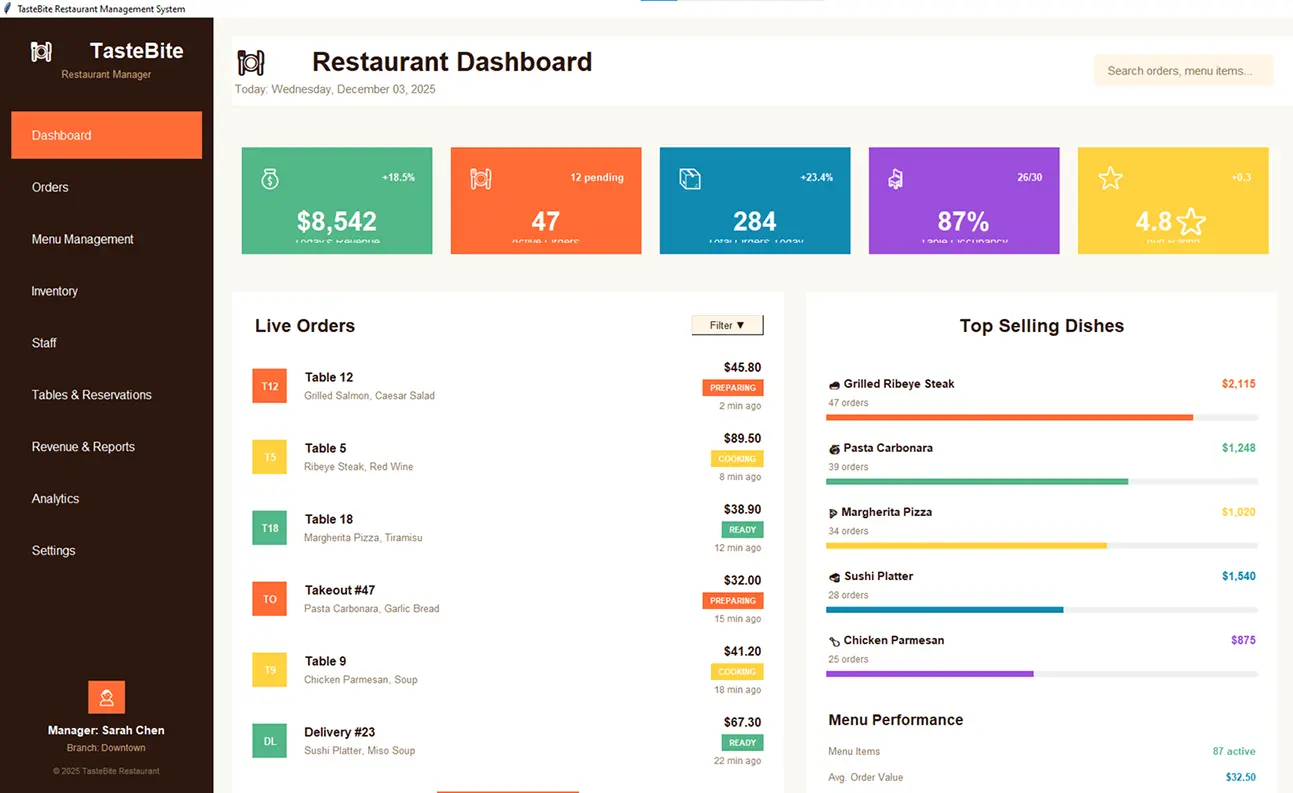
You run a restaurant or dream of starting one. You face daily tasks like tracking orders, managing inventory, and handling bills. These eat up time. What if you build a tool to handle them? I created a YouTube video on this exact project using Python Tkinter. This article walks you through it. You get the full story, code insights, and tips to make your own system.
Understanding Smart Restaurant Management Systems
You need a clear picture of what this system does. It automates key operations in a restaurant. Staff enter orders, track stock, and generate reports without paper chaos.
Key Features
The system includes menu management. Add items, set prices, and update them fast. Order processing comes next. Customers pick dishes, and the app calculates totals with taxes. Inventory tracking prevents shortages. You see low stock alerts. Billing wraps it up. Print receipts or save them digitally.
Reports seal the deal. Daily sales summaries help you spot trends. For more on Python projects like this, check our guide to beginner Python apps.
Why Choose Python and Tkinter
We pick Python for its ease. Tkinter adds the visual layer. Together, they make building apps straightforward.
Benefits of Python
Python reads like English. You write less code. Libraries handle tough parts. For restaurants, it manages data well. Install it from python.org. See our Python tips for developers.
Tkinter for GUI
Tkinter builds interfaces fast. Buttons, menus, and forms appear with few lines. No extra installs needed – it comes with Python. Learn basics in the official docs. Your app looks professional without complex tools.
Building the System Step by Step
You start from scratch. Follow these steps based on my video.
Setup Your Environment
Install Python first. Open a terminal. Create a folder for your project. Import Tkinter: from tkinter import *. Add messagebox for alerts. Test with a simple window: root = Tk(); root.mainloop().
Download Project Asset Images
You can Also Download Source Code Here
FAQ
What is a restaurant management system?
A restaurant management system handles orders, inventory, and billing. It automates tasks to boost efficiency.
How do I create a restaurant management system in Python?
Use Python with Tkinter for the GUI. Start with setup, add features like menus and orders, then test.
What features does a smart restaurant management system have?
It includes menu updates, order processing, inventory alerts, billing, and sales reports.
Is Python Tkinter suitable for GUI projects like this?
Yes. Tkinter is simple and built-in. It works well for desktop apps without extra costs.
Can I use this system for my real restaurant?
Start with it for small setups. Scale up with databases for bigger operations.