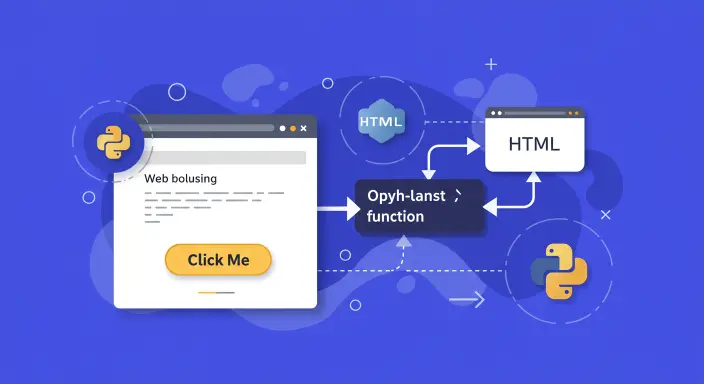
## Want to Run Python Code on Button Click in Flask? Here is How
Hey there, tech enthusiasts If you’re diving into web development with Flask and wondering how to make a button trigger a Python function without refreshing the page, you’re in the right place. As someone who’s been tinkering with Flask for a while, I totally get the frustration of wanting a seamless user experience especially for cool projects like a Raspberry Pi robot car or a dynamic web app. In this guide, I will walk you through a clean, beginner-friendly way to achieve this using AJAX, ensuring your app stays snappy and user-friendly.
### The Challenge: Calling a Python Function Without a Page Reload
Imagine you are building a Flask app maybe a control panel for a robot car or a dashboard for your blog. You want a button that, when clicked, runs a Python function (like moving a robot forward) without redirecting to a new page or refreshing the current one. A common rookie mistake is trying to call a Python function directly from an HTML button’s **onclick** event, but here’s the deal: Python runs on the server, while your button lives in the browser (client-side). To bridge this gap, we need a way to communicate between the client and server without reloading the page.
## Solution: Using AJAX to Call a Python Function
AJAX (Asynchronous JavaScript and XML) lets you send requests to your Flask server and get responses without refreshing the page. We’ll use jQuery for simplicity, but you can adapt this to vanilla JavaScript if you prefer. Below, I’ll break down the steps with code examples that are easy to follow, even if you’re new to Flask or web development.
### **Step 1: Set Up Your Flask App**
First, let’s create a basic Flask app with a route to render your HTML page and another to handle the button click. Save this as **app.py**:
from flask import Flask, render_template, jsonify app = Flask(__name__)
@app.route('/') def index(): return render_template('index.html')
@app.route('/move_forward', methods=['GET']) def move_forward(): # Your Python function logic (e.g., for a robot car) print("Moving Forward...") return jsonify(\{"message": "Moving Forward..."\})
if __name__ == '__main__': app.run(debug=True)
### **Step 2: Create the HTML with AJAX (templates/index.html)**
<!DOCTYPE html> <html> <head> <title>Flask Button Control</title> <script src="https://ajax.googleapis.com/ajax/libs/jquery/3.6.0/jquery.min.js"></script> </head> <body> <h1>Robot Control Panel</h1> <!-- Button that triggers Python function --> <button id="forwardBtn">Move Forward</button> <script> $(document).ready(function() \{ $("#forwardBtn").click(function() \{ $.ajax(\{ type: "POST", url: "/move_forward", success: function(response) \{ console.log(response.message); // Success message \}, error: function(error) \{ console.log("Error:", error); \} \}); \}); \}); </script> </body> </html>
**Explanation:**
* No page reload – AJAX runs in the background. * Clean separation – Flask handles logic, JavaScript handles UI. * Scalable – Works for IoT, robotics, dashboards, and more.
## Alternative Methods (With Pros & Cons)
### **1\. Form Submission (Page Reloads)**
<form action="/move_forward" method="post"> <button type="submit">Move Forward</button> </form>
**✅** **Simple** **❌** **Refreshes the page**
### **2\. JavaScript Fetch API (Modern Alternative to AJAX)**
document.getElementById("forwardBtn").addEventListener("click", () => \{ fetch("/move_forward", \{ method: "POST" \}) .then(response => response.json()) .then(data => console.log(data)); \});
**✅ No jQuery needed** **✅ Works with modern JavaScript**
## When to Use AJAX in Flask?
* Raspberry Pi/Arduino projects (e.g., robot controls) * Live dashboard updates (e.g., stock prices, sensor data) * Any app where you need instant feedback without reloading
## Common Errors & Fixes
* **Error:** 404 Not Found → Check your Flask route (@app.route). * **Error:** 500 Internal Server Error → Debug with print() in Flask. * **AJAX not working?** → Ensure jQuery is loaded.
Loved this guide? Share it with fellow devs! **#Flask #Python #WebDev #RaspberryPi**