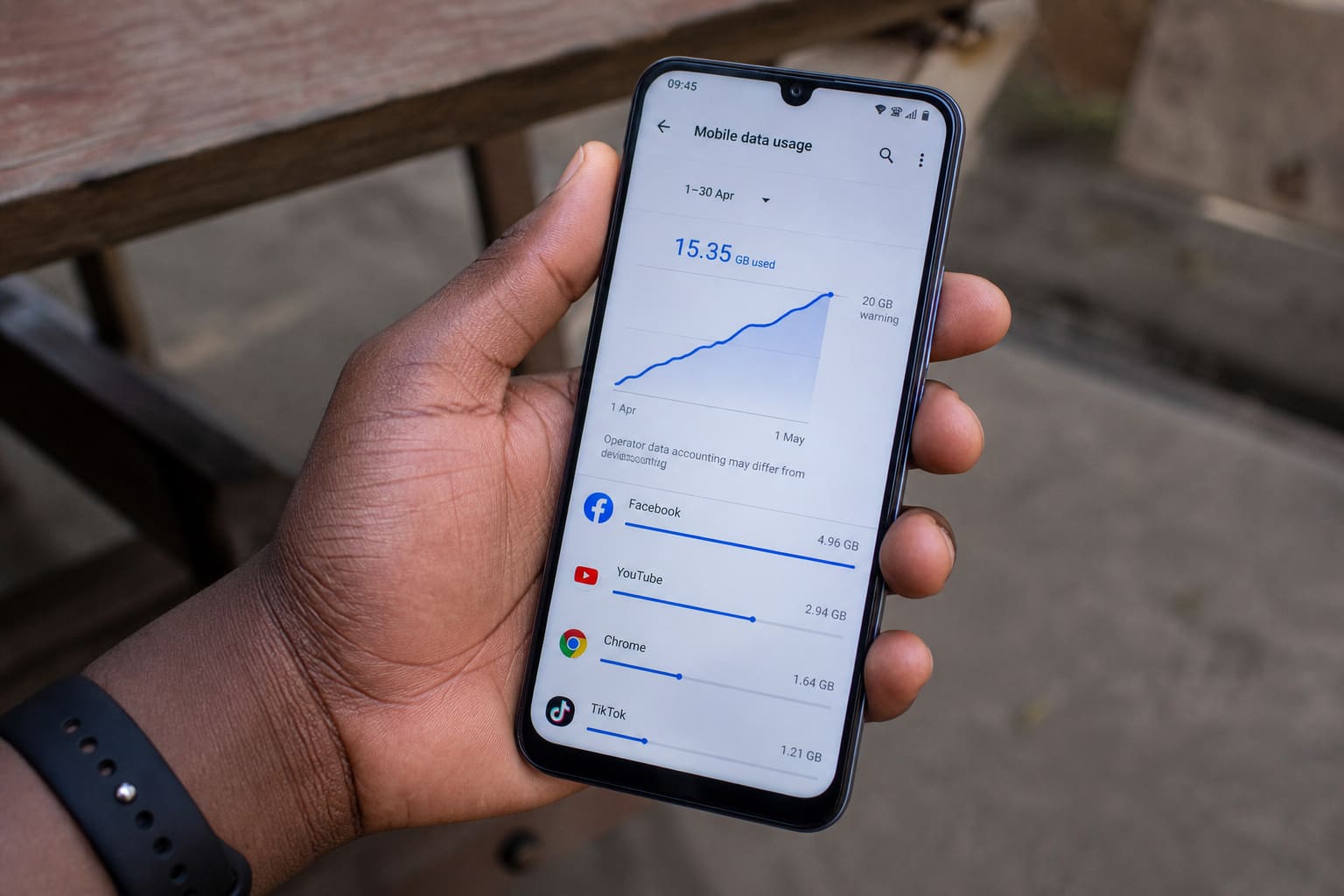
Android can burn data while the phone is in your pocket. Here’s a tighter checklist than “watch less YouTube.”
Find the Culprit
Settings → Network → Data usage → which app used the most this month.
Common offenders: Play Store auto-updates, Google Photos backup on data, social apps, cloud sync.
High-Impact Switches
| Setting | Action |
|---|---|
| Play Store | Auto-update on Wi‑Fi only |
| Photos backup | Wi‑Fi only |
| Data Saver | On for daily commuting |
| Background data | Restrict hungry apps |
| Wi‑Fi assistant / auto switch | Disable if it jumps to weak Wi‑Fi then uses data oddly |
Also see network-level tips: Save Mobile Data in Ghana.
FAQ
System using huge data?
OS/services + backhaul — updates and cloud sync. Check after a big update week.
Dual SIM data?
Set the correct default data SIM; disable the other data radio when unused.
Sources / Verify With
- Android Data Saver help
- Your carrier’s data balance USSD/app
Original Sen Gideons News Studio editorial.